Environment
Tesla announces 2025 holiday update with a few cool features

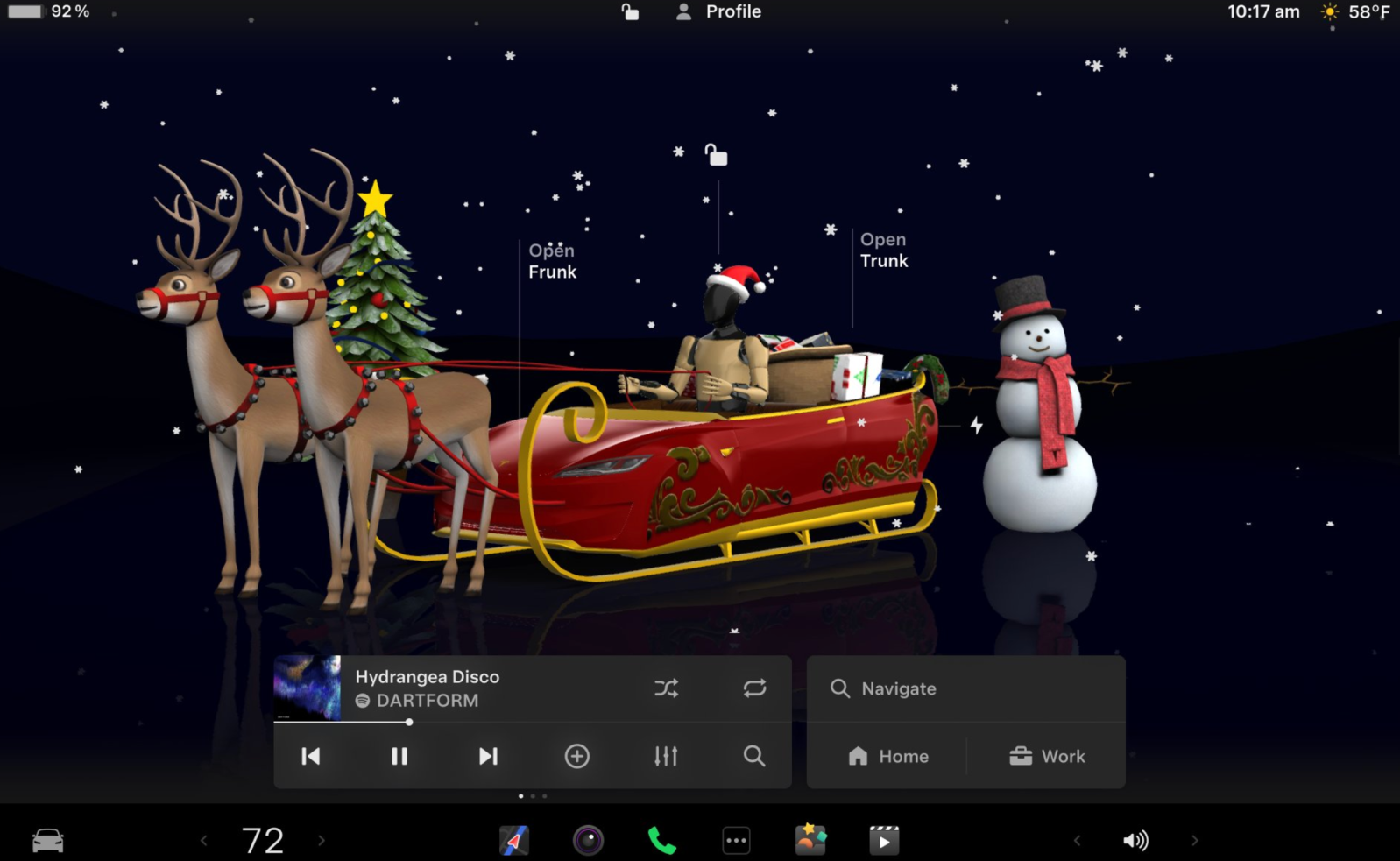


Tesla has officially announced its 2025 Holiday Update, and this year, the automaker is not using the usually bigger update for any groundbreaking stuff, but there are a few interesting new smaller features.
You will find the release notes in this article.
It’s that time of year again. Every December, Tesla bundles a bunch of features it has been working on into a “Holiday Update” to give owners something to play with over the break.
While previous years have focused on adding major apps like Apple Podcasts or Steam integration, the holiday updates have become gradually weaker over the last few years, and they now concentrate mainly on playful features with smaller tweaks and add-ons.
Tesla announced the rollout in a post on X today:
Here is a breakdown of the main features in the 2025 Holiday Update. They are in order that Tesla announced them, which is generally from most to least important new feature.
Grok with Navigation Commands (Beta)


Many automakers are intergrating LLMs into their vehicles and unsuprisingly, Tesla went with Grok, which is developed by xAI, a company owned by Tesla CEO Elon Musk.
Tesla started the integration with an update last summer, but it only consisted of running the chat bot on Tesla’s in-car computer. It was the equivalent of using Grok on your phone as it couldn’t interact with the car.
Now, the automaker is starting to give Grok access to some vehicle functions, starting with navigation. Tesla announced:
Grok can now add & edit navigation destinations, becoming your personal guide.
Tesla says that to use Grok for navigation command, you have to set Grok’s personality to ‘Assistant’.
Tesla Photobooth

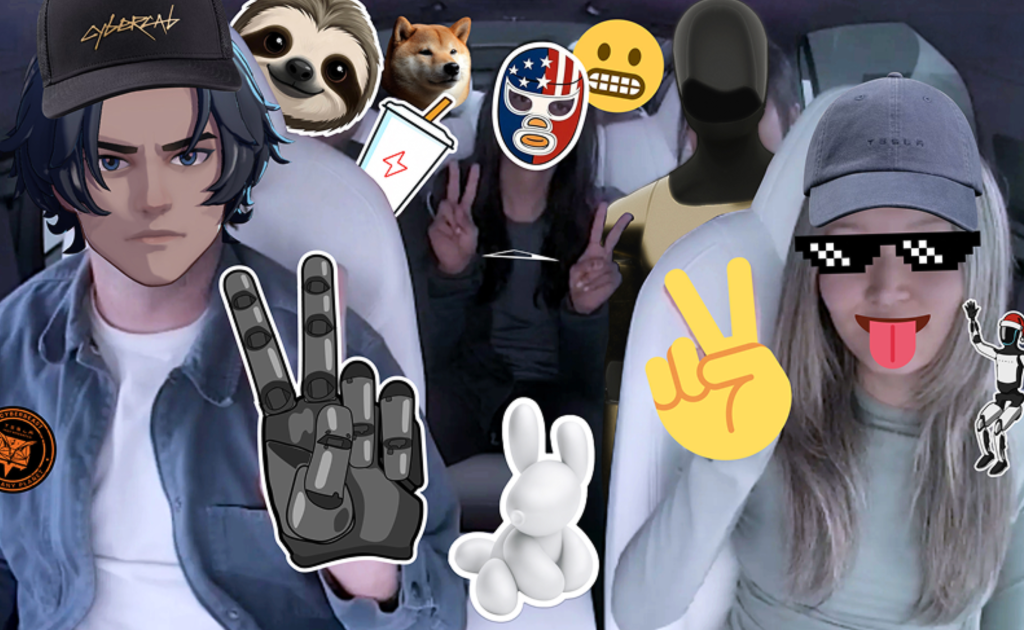
The second feature Tesla announced in the holiday update is the “photobooth”:
Turn your car into a photobooth! Take selfies from inside your Tesla & give yourself a makeover with fun filters, stickers, and emojis. Share with others right from the Tesla app
It sounds like a Temu Snapchat. To activate it: Go to Toybox > Photobooth
Dog Mode Live Activity

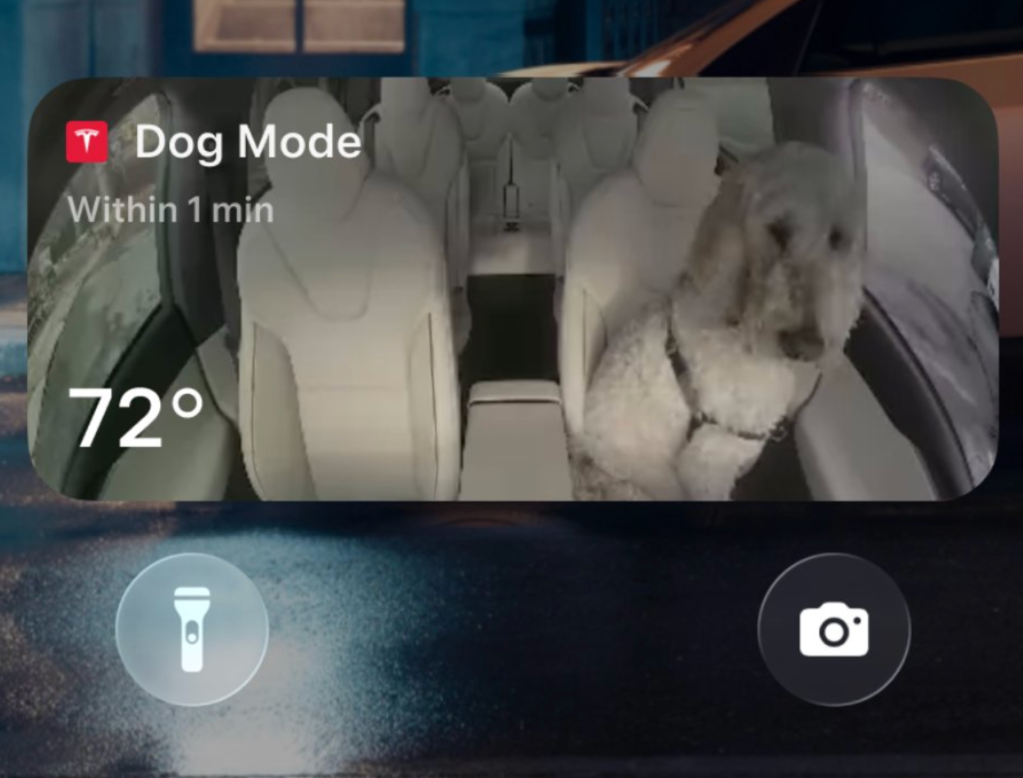
Now, to a more useful feature, Tesla has updated Dog Mode with a live activity feed:
When Dog Mode is active, you’ll see a Live Activity on your iPhone featuring periodic snapshots of your vehicle’s cabin along with live updates on temperature, battery & climate conditions
Dashcam Viewer Update

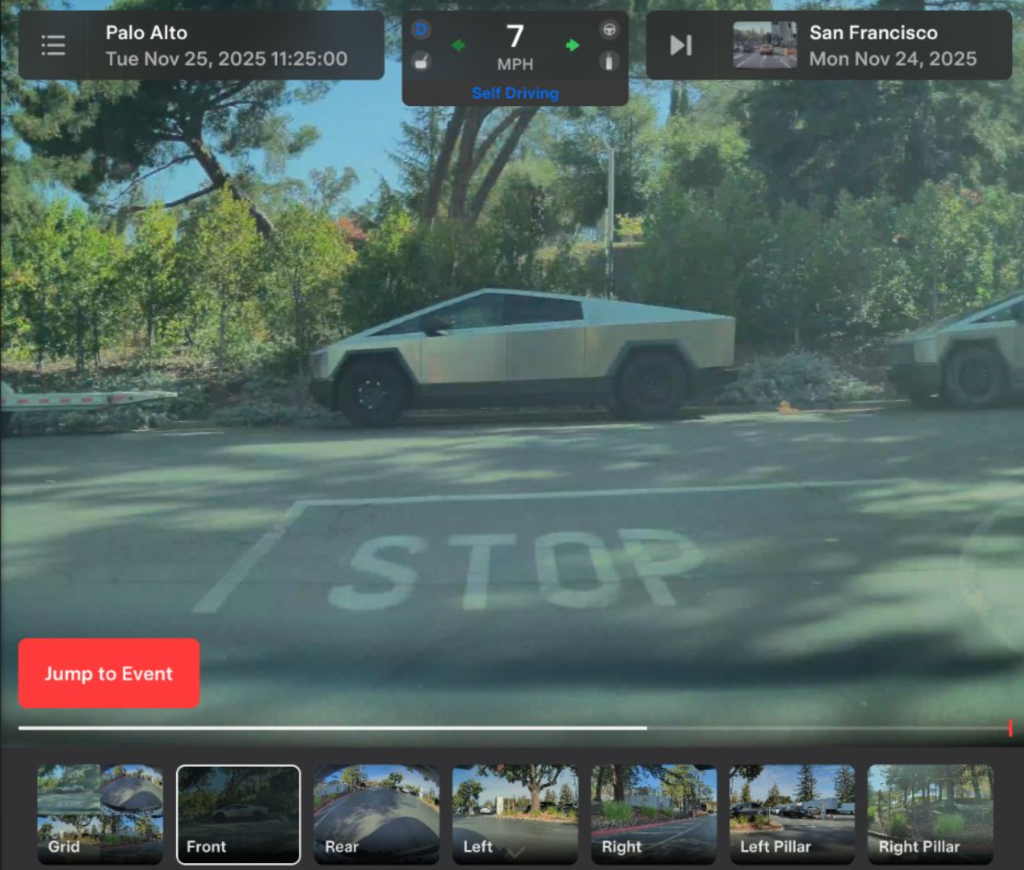
Tesla also added a bunch of information to the Dashcam viewer:
Dashcam clips now include additional details such as speed, steering wheel angle & self-driving state
Santa Mode

You can update the car visualization to this image. Tesla writes in the notes:
Santa Mode now adds festive snowmen, trees, a lock chime & snow effects for a 3D visual treat
You have select ‘Santa’ in the Toybox to activate it.
Light Show Update
Tesla has a dded a new light to the song “Jingle Rush”:
Play instantly or schedule it up to 10 minutes in advance, either on a single vehicle or synced with friends. You can also control interior lighting, add display color effects & create longer custom shows
Custom Wraps and License Plates

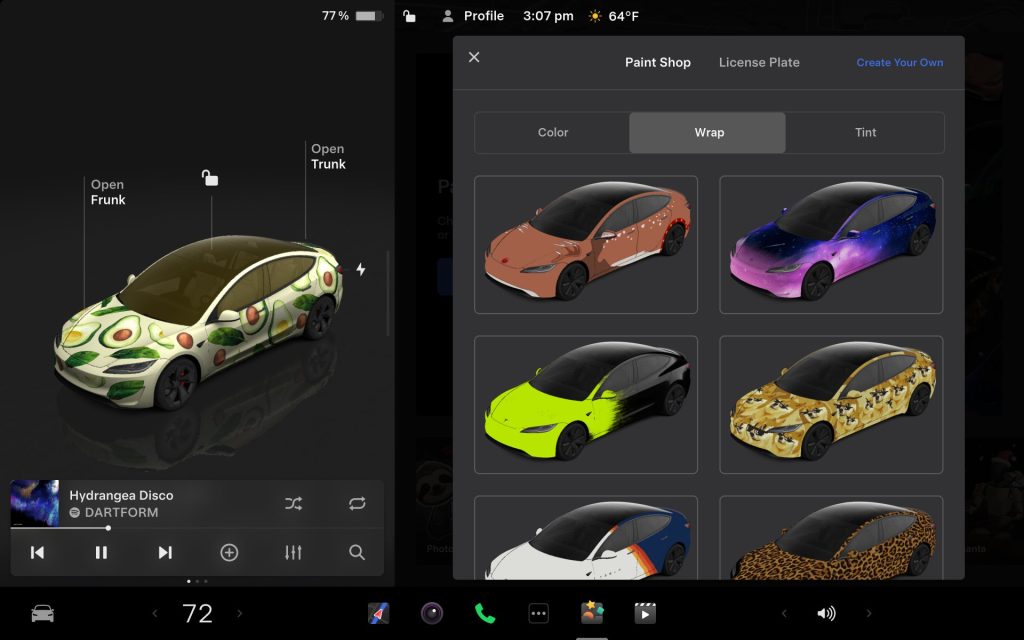
Back to slightly more useful features, Tesla has added custom wraps visualizations:
Personalize your Tesla avatar with window tints, custom wraps & license plates. Use one of many preloaded designs or create and upload your own using a USB flash drive to make your vehicle unique
You can select ‘Paint Shot’ in the Toybox to access it.
Navigation Improvements

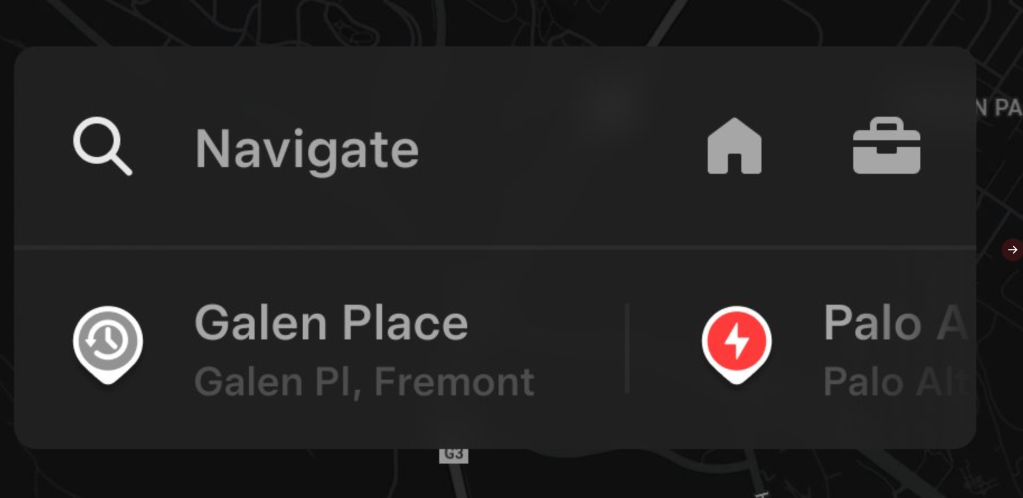
A slight change to the nav UI:
Reorder your navigation favorites & set Home or Work by dropping a pin anywhere on the map
You can also view suggested destinations based on your recent trips and habits while parked
Supercharger Site Map

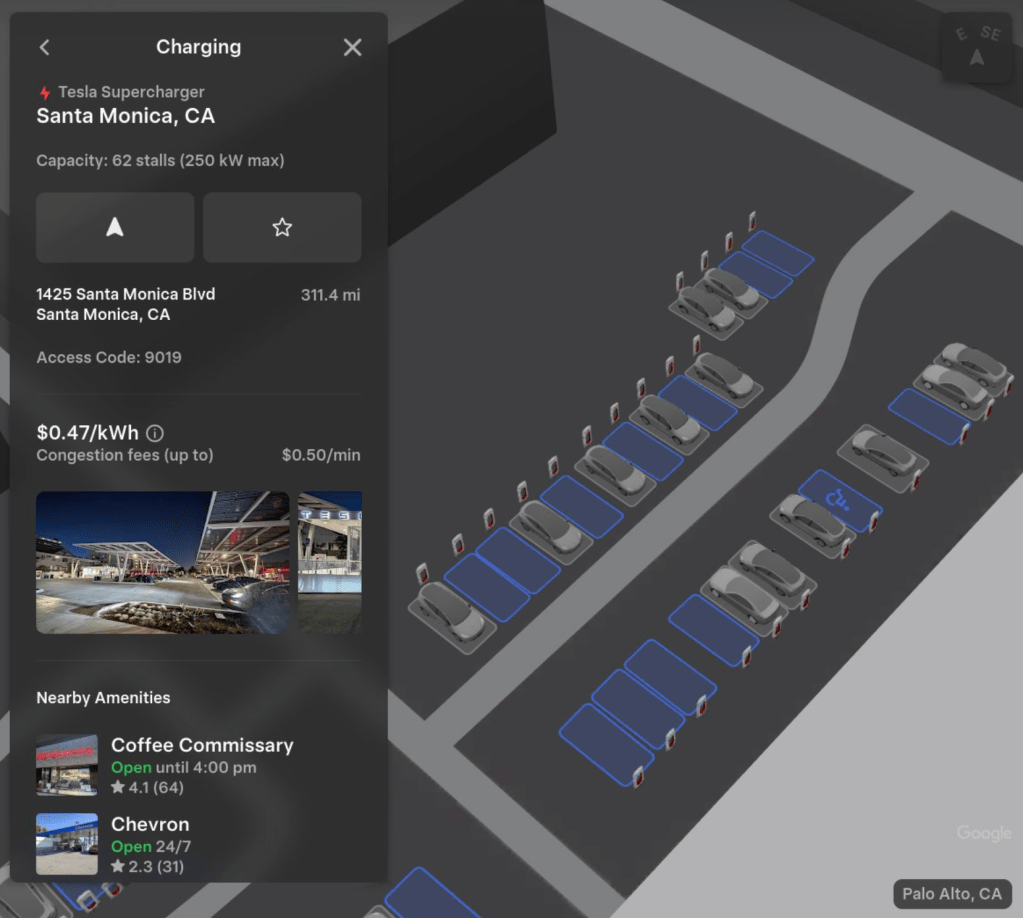
In line with the navigation update, you get a cool 3D view at some Supercharger stations straight in the navigation:
You can now see a 3D view of select Tesla Superchargers by tapping “View Site Map”. When navigating to a pilot location, the site layout and live occupancy (Available / Occupied / Down) will be displayed upon arrival
This could be useful to plan exactly where you’ll park and could open the door to a reservation system, which could be specifically useful for pull-in stalls.
Automatic HOV Lanes Routing
Navigation now includes an option to use high-occupancy vehicle (HOV) carpool lanes. Your route will automatically select the carpool lane when eligible, based on time, location, passenger count & road restrictions
Controls > Navigation > Use HOV Lanes
Phone Left Behind Chime
Your vehicle will chime a few seconds after the doors close if a phone key is inside the cabin or a phone is left on the wireless charger and no occupants are detected. Phone key detection requires UWB-supported devices.
Controls > Locks > Phone Left Behind Chime
Charge Limit per Location
You can now save a charge limit for your current location while parked & it will be applied automatically next time you charge there
Controls > Charging
SpaceX ISS Docking Simulator

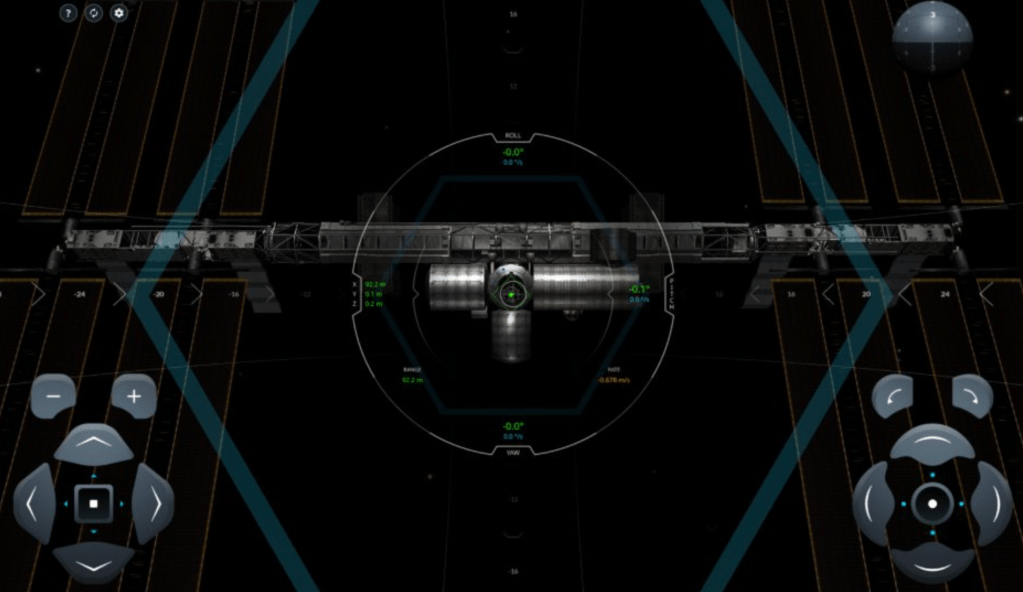
Become an astronaut and prove your skills by docking with the International Space Station. Control & guide the rocket in this 3D docking simulator game using a set of controls based on actual interfaces used by NASA astronauts.
Arcade > SpaceX ISS Docking Simulator
Other improvements
- Enable or disable wireless phone charging pads in Controls > Charging (S3XY) or Controls > Outlets & Mods (Cybertruck)
- Add Spotify tracks to your queue right from the search screen & scroll through large Spotify playlists, albums, podcasts, audiobooks & your library seamlessly, without paging
- Take the vibes up another level with rainbow colors during Rave Cave. Accent lights color will change along with the beats of your music. App Launcher > Toybox > Light Sync
- Lock Sound now includes Light Cycle from Tron Mode. Toybox > Boombox > Lock Sound
Feature availability subject to vehicle hardware & region
Electrek’s Take
This is a bit of a mixed bag, which is typical for Tesla’s Holiday Updates.
On one hand, many useless features that will be probably be used once or twice and never again, like the photobooth.
But on the other hand, you have some decent new features, specifically to the navigation system, which put together make for a more than decent upgrade.

FTC: We use income earning auto affiliate links. More.